What still needs inspection?
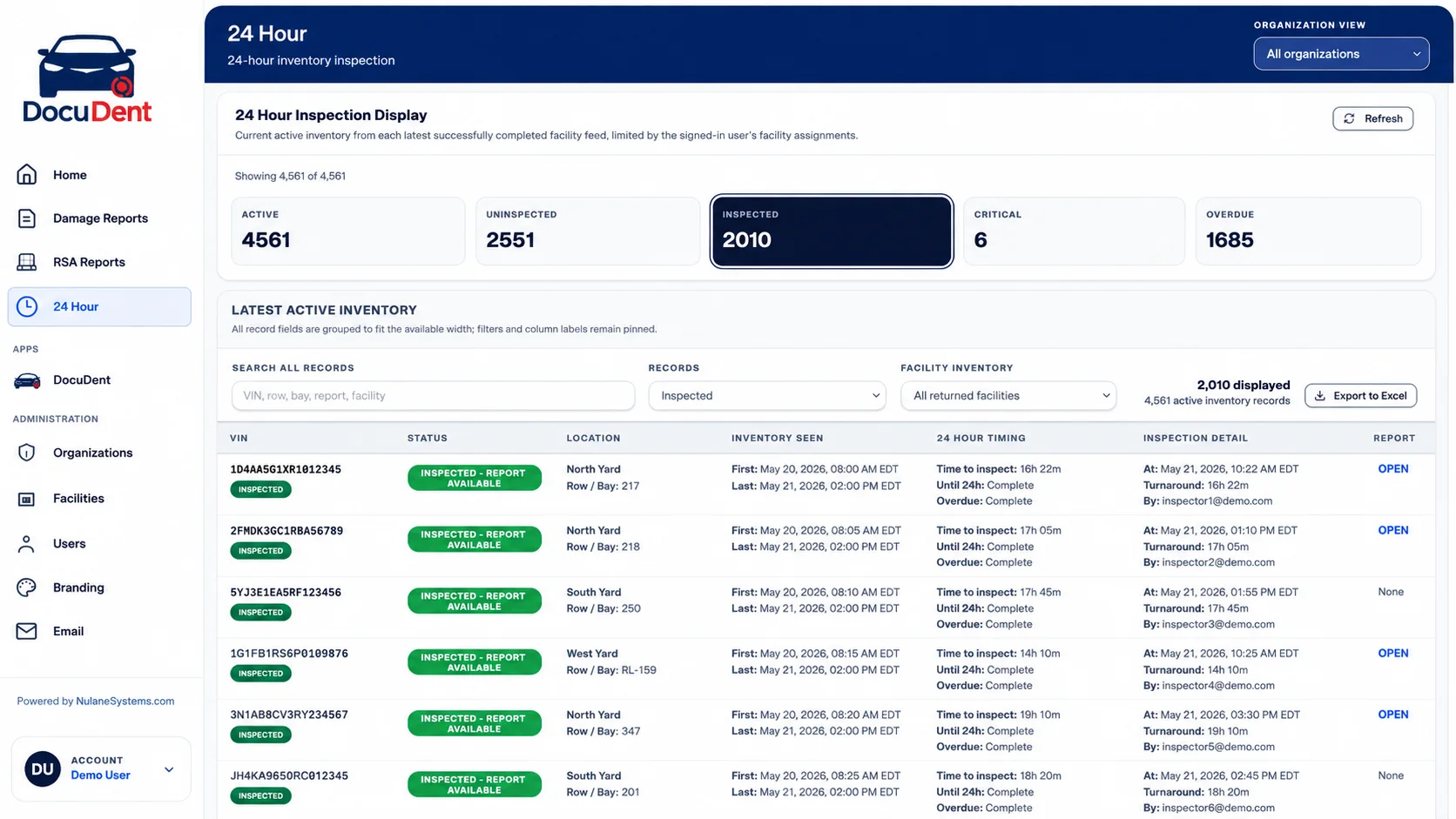
Active inventory / Inspection statusSeparate active inventory from inspected and uninspected records. A completion total gives the overview; the filtered vehicle list tells the supervisor where to act.
Operational visibility / Management views
Completion, deadlines, exceptions, and the record behind each status. Nulane reporting helps supervisors decide what to investigate, what to prioritize, and which evidence is available.
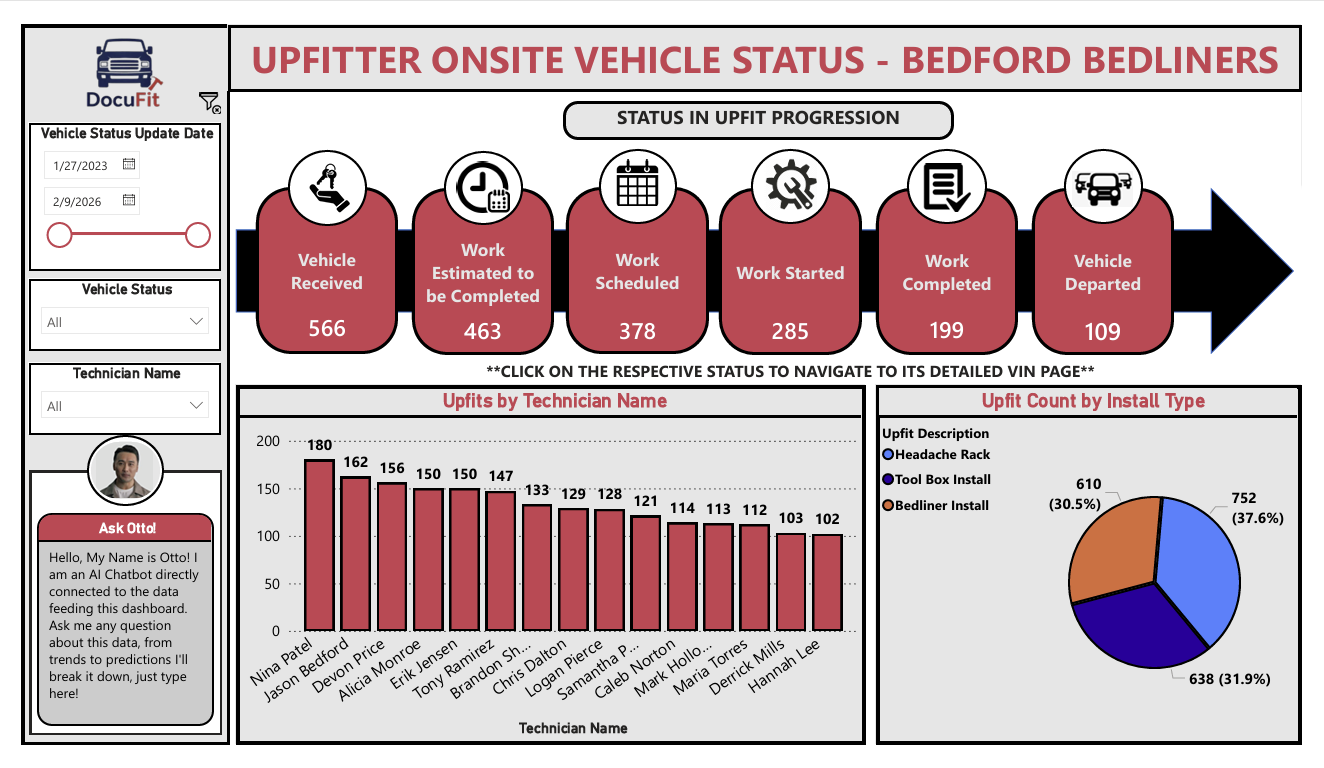
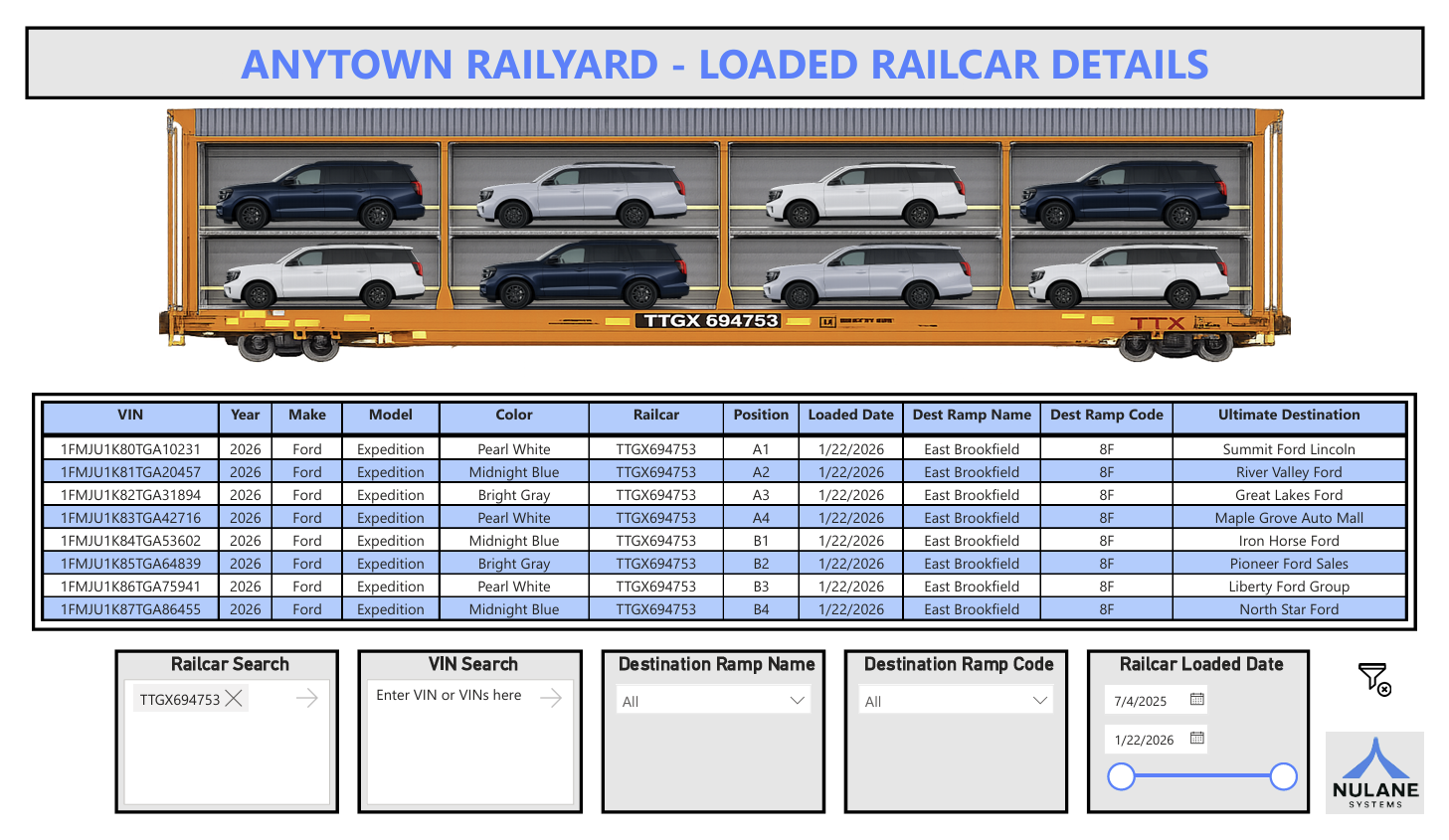
Explore three examples: damage intelligence, upfit operations, and rail logistics.
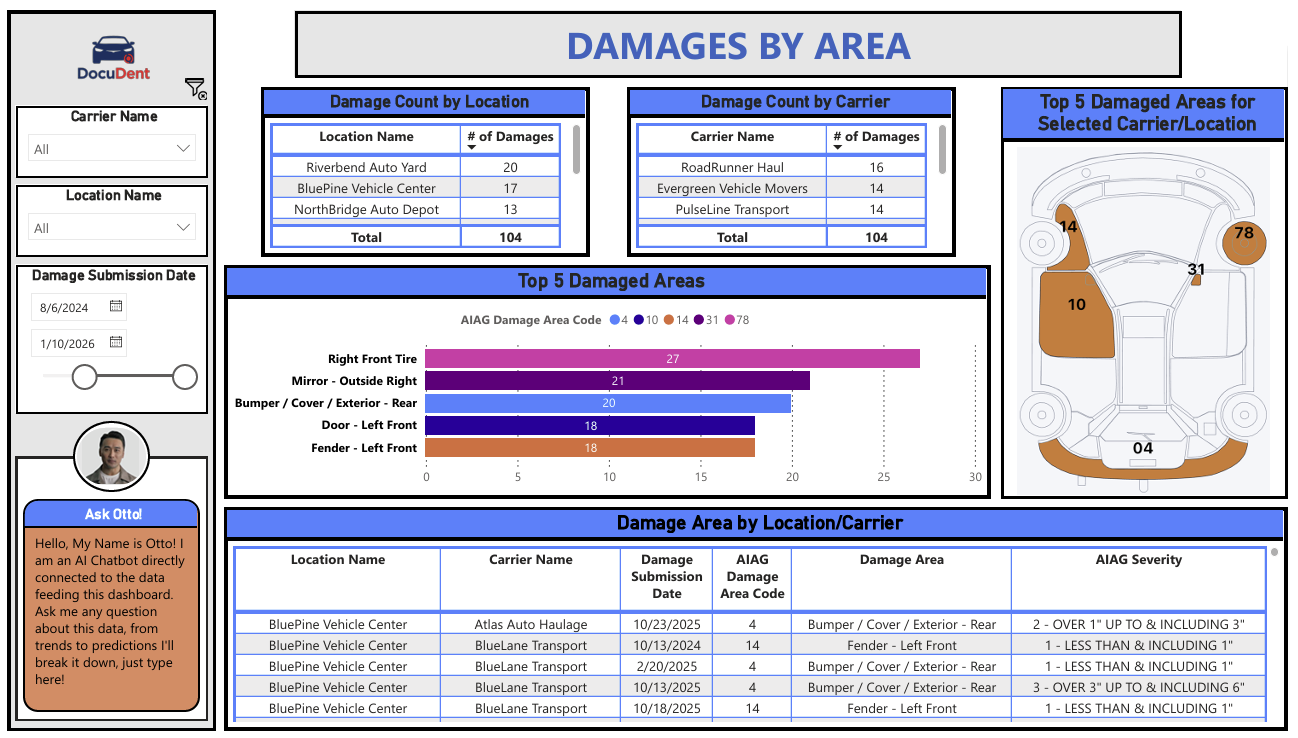
Compare locations, carriers, and affected vehicle areas in one view. Start with a recurring damage pattern, then inspect the records behind it.
Read the operation, then act
Separate active inventory from inspected and uninspected records. A completion total gives the overview; the filtered vehicle list tells the supervisor where to act.
Review critical and overdue items with the timing shown on each record. Prioritize the work against its service window instead of treating every open item alike.
Follow the report link from an inspected vehicle when a report is available. Review the evidence behind the status instead of relying on a completion label alone.
Use facility inventory and record filters to narrow the view. Location and inspection detail keep the operational context attached when a manager investigates an exception.
Export filtered inventory for a downstream review or reconciliation. Keep the underlying records in view so a summary can be traced back to the work it describes.

Built around the operation
A quality team needs to understand recurring damage. A facility manager needs to find stalled work. A logistics team needs to reconcile the load. The useful dashboard starts with their question—not a wall of charts.
We define the source data, access, refresh schedule, and available actions with your team. These examples show possible views; the scope follows your actual workflow and connected systems.
Let’s look at the work
Bring your current process. We’ll walk through the product, the handoffs, and the configuration your team would need.